Know What's Actually
Running in Your AWS
Find orphaned resources, expiring certificates, and security findings. Read-only IAM. Self-hosted. No agents.
Start scanning in under 5 minutes
No agents to install. No SSH access required. Just a simple IAM role with read-only permissions.
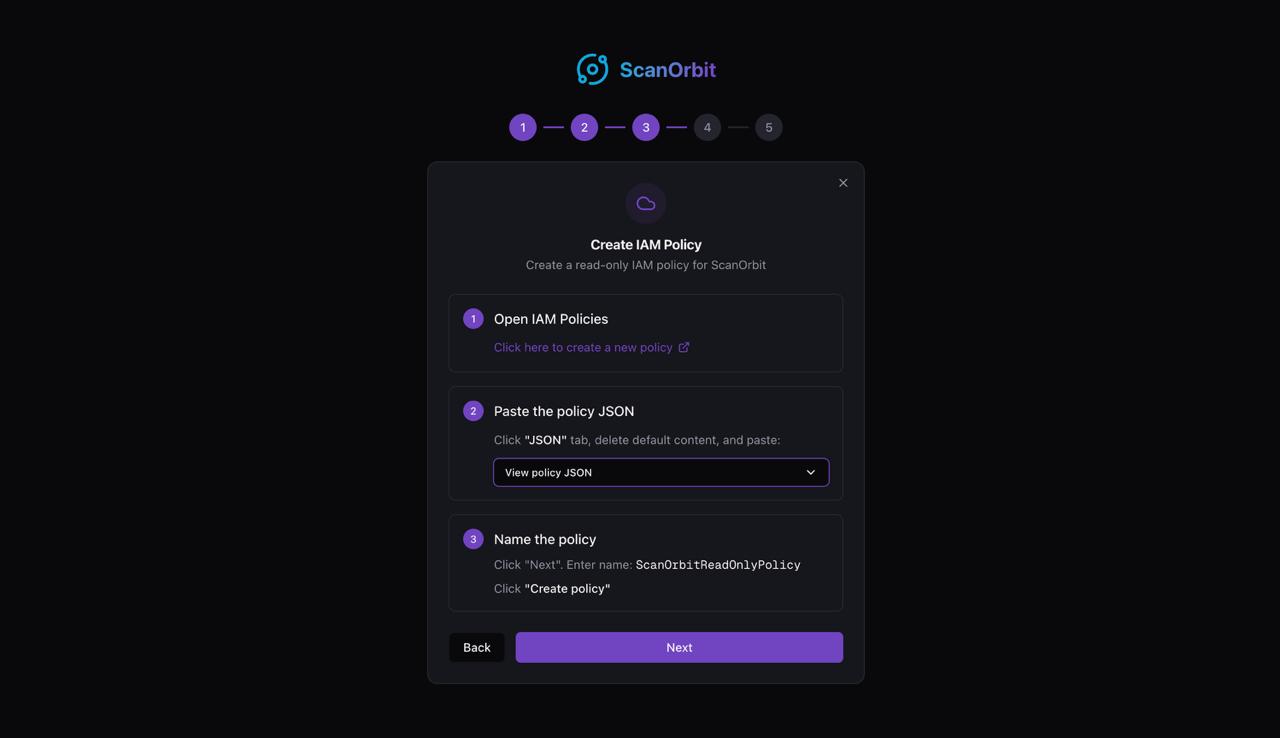
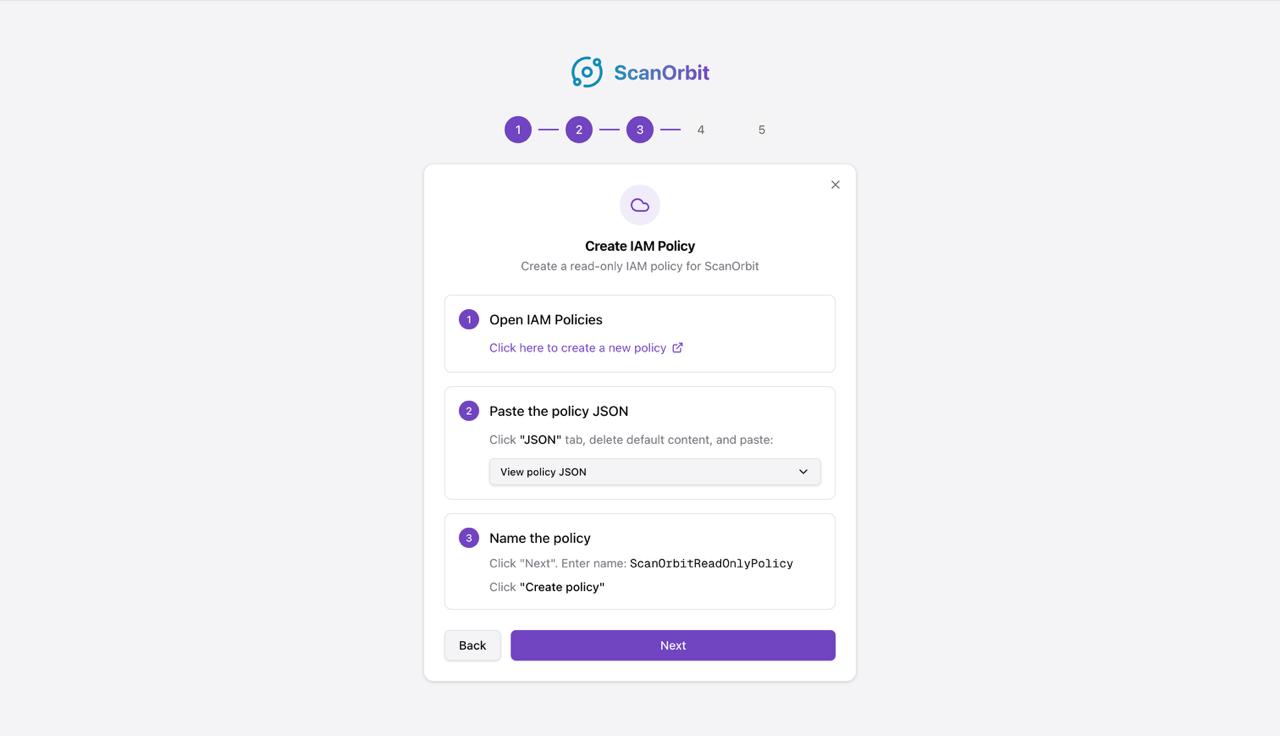
Connect AWS
5 minute setup
Create a read-only IAM role with only the permissions you need. Choose which scanners to enable — ScanOrbit generates a customized policy. No agents, no SSH, no network access required.
See Dashboard
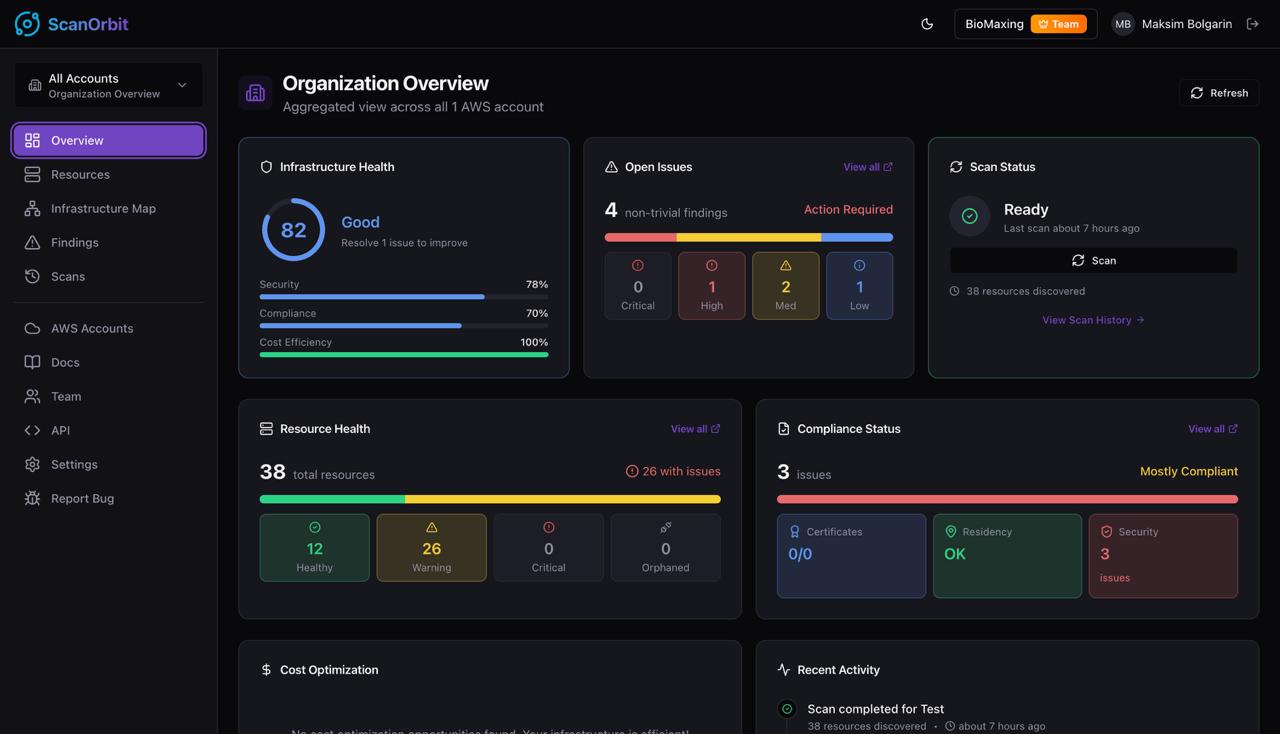
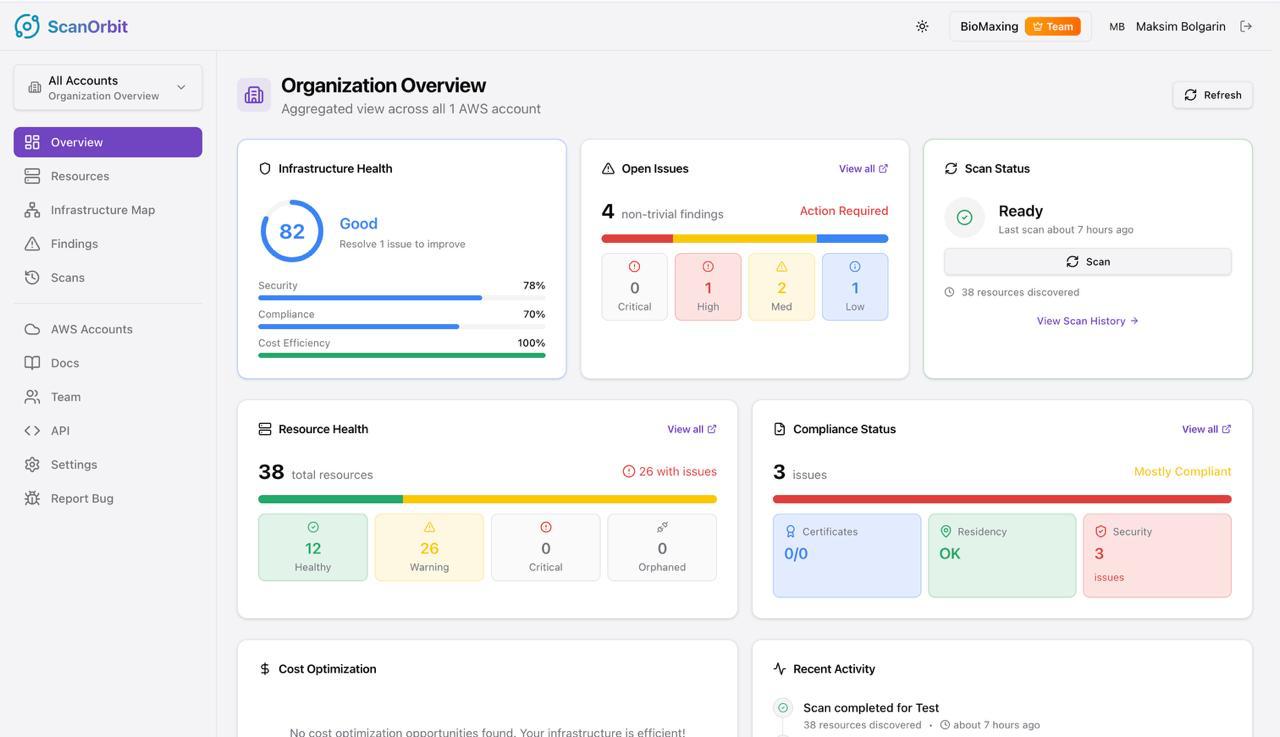
Instant overview
Get a complete overview of your infrastructure health, open issues, resource status, and compliance posture — all in one place. See exactly where you stand.
Get Findings
Actionable results
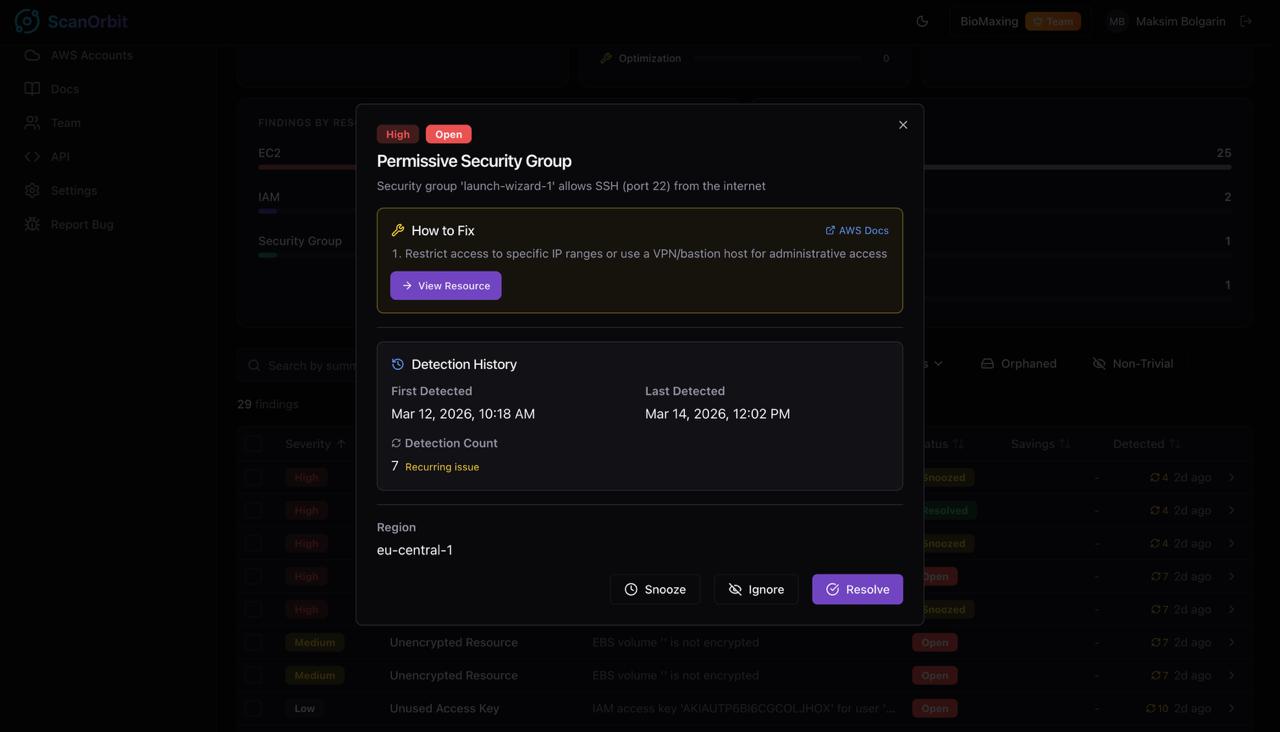
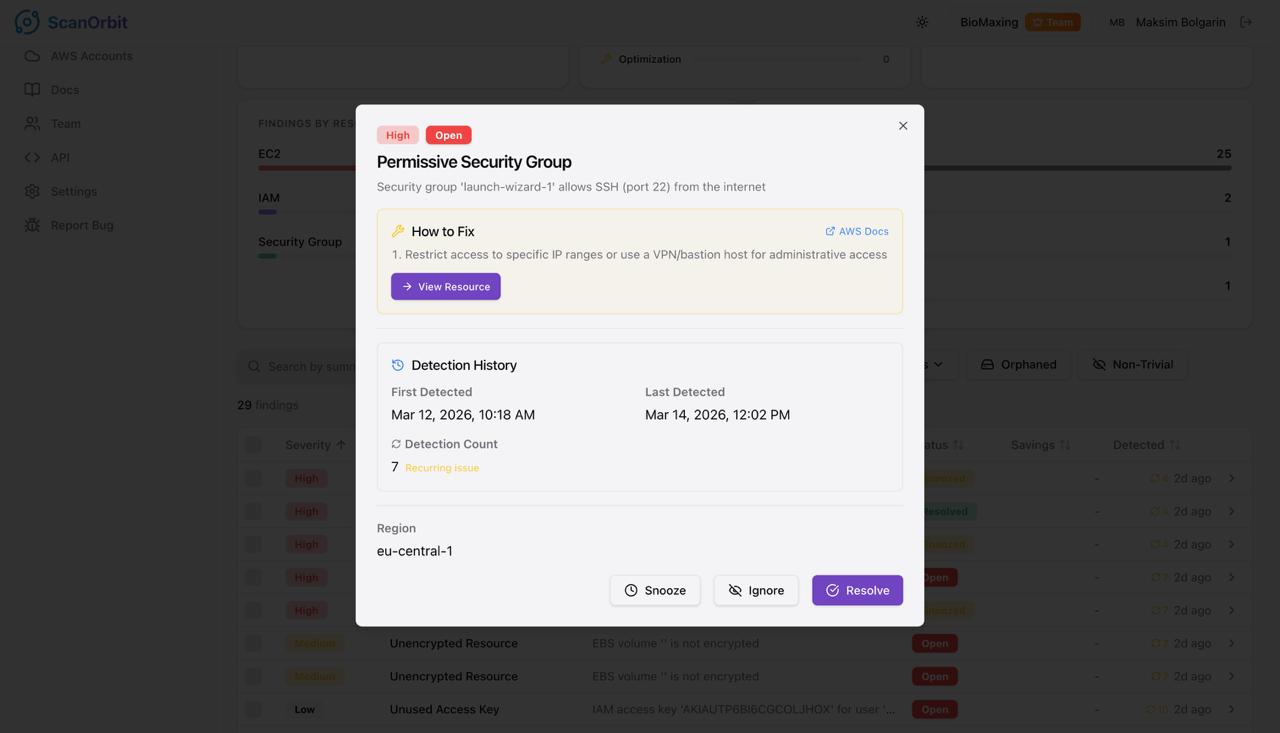
Review prioritized findings with severity levels, detection history, and step-by-step remediation guidance. Track issues over time and see how your security posture improves.
Explore Map
Full visibility
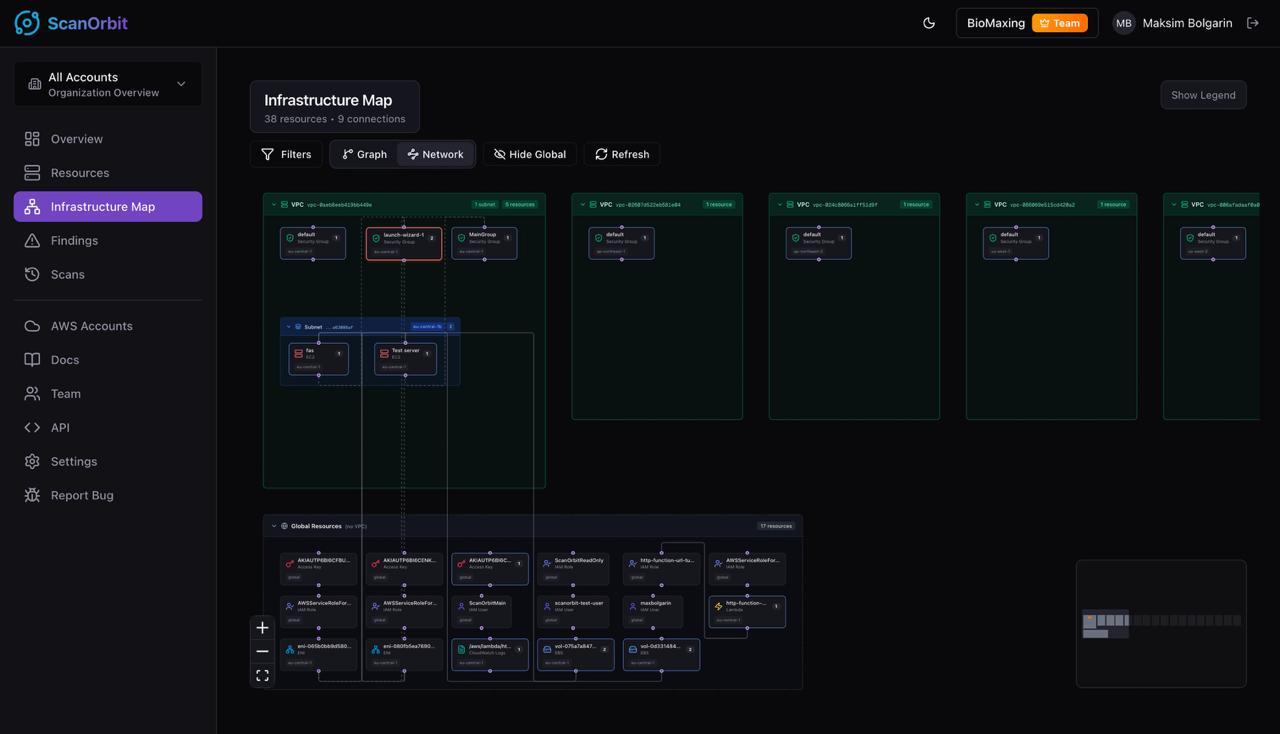
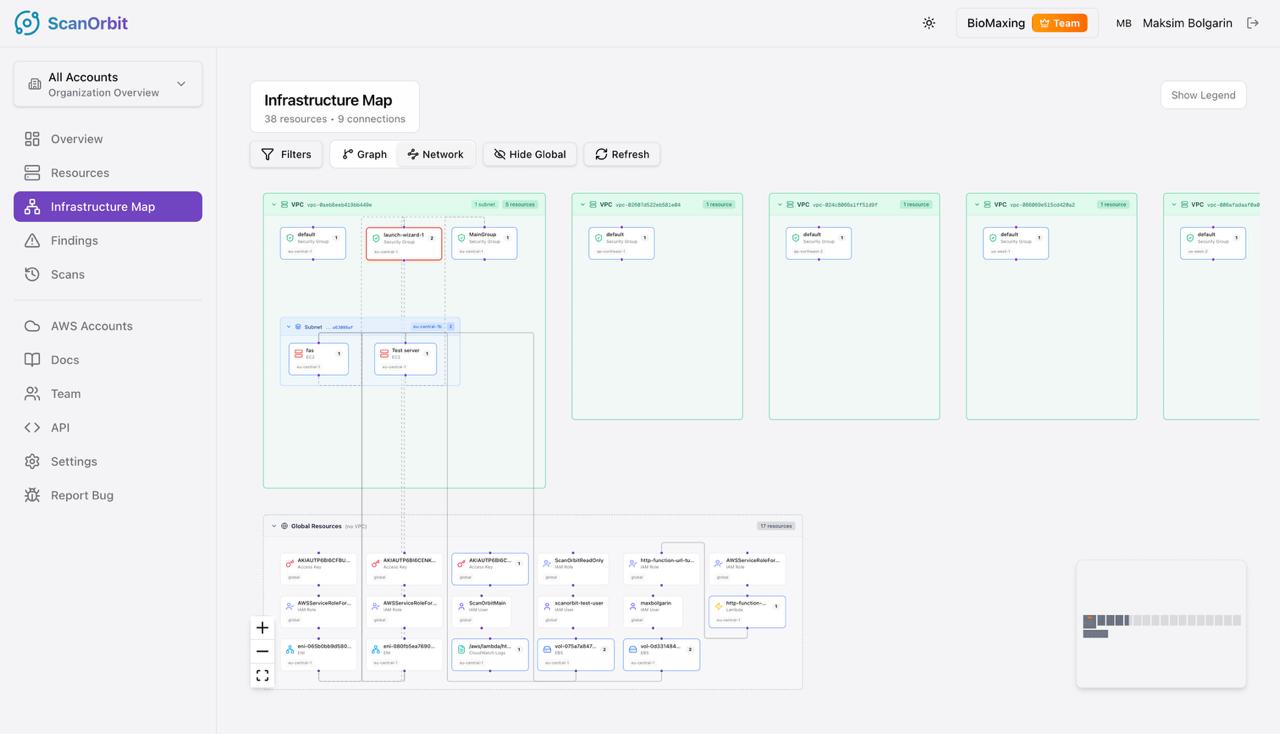
Visualize your entire AWS infrastructure as an interactive dependency graph. See how VPCs, subnets, instances, security groups, and IAM roles connect across regions.
Apache 2.0 — runs on your own infrastructure
Security & Transparency
We ask for access to your AWS account. Here's exactly how we handle that responsibility.
Your AWS Account
You create and control the IAM role. Revoke anytime. All API calls logged in CloudTrail.
Read-Only IAM Role
Describe* and List* actions only. No write, create, or delete. Temporary credentials (1hr expiry).
ScanOrbit on Your Servers
Runs in your VPC or on-prem. Metadata only — never your actual data. AES-256-GCM at rest.
Your Dashboard
TLS in transit. JWT with 5-min expiry. 2FA supported.
Your AWS Account
You create and control the IAM role. Revoke anytime. All API calls logged in CloudTrail.
Read-Only IAM Role
Describe* and List* actions only. No write, create, or delete. Temporary credentials (1hr expiry).
ScanOrbit on Your Servers
Runs in your VPC or on-prem. Metadata only — never your actual data. AES-256-GCM at rest.
Your Dashboard
TLS in transit. JWT with 5-min expiry. 2FA supported.
Read-Only Access
Zero write permissions. You control the IAM role.
Your Data, Your Servers
Self-hosted. Pick any region — your data never leaves your infrastructure.
Agentless Architecture
No software on your instances. No SSH. No network access.
Encryption
AES-256-GCM at rest. TLS 1.2+ in transit.
Audit Logging
Every action logged. CloudTrail compatible.
Full Transparency
We publish what we don't have yet. No hidden limitations.
Everything you need to secure and optimize
A growing suite of scanners working together to find waste, ensure compliance, and give you complete visibility
Dependency Graph
Build a visual graph of your entire AWS infrastructure with all resource relationships and cross-service dependencies
Orphaned Resources
AI-powered detection of idle EBS volumes, unused EIPs, and forgotten snapshots draining your budget
Data Residency
EU-only compliance checks to flag resources deployed in US, Asia, or other non-EU regions
SSL Certificates
Full coverage of ACM certificates and endpoint scans. Get alerts at 60, 30, 14, and 7 days before expiry
How we compare
Why teams switch from native AWS tools and expensive audits
| Feature |
ScanOrbit
Recommended | AWS Cost Explorer | Manual Audit |
|---|---|---|---|
| Setup time | 5 minutes | 30 minutes | Weeks |
| Orphaned resources | | | |
| SSL expiry alerts | | | |
| Data residency checks | | | Varies |
| Self-hosted (your infra) | | | Varies |
| Starting cost | Free (Apache 2.0) | Free (limited) | €5k-50k |
AWS Cost Explorer shows billing data but can't detect orphaned resources, expiring SSL certificates, or GDPR residency violations. Manual audits cost €5k–50k, take weeks to complete, and go stale the moment your infrastructure changes. ScanOrbit combines all of this in one agentless tool with a 5-minute setup.
Frequently asked questions
Everything you need to know about ScanOrbit security and features.
How is ScanOrbit licensed?
Apache License 2.0. Use it commercially, modify it, redistribute it. The full source is on GitHub.
Where does my data live?
Wherever you deploy it. ScanOrbit is fully self-hosted — your AWS metadata, findings, and scan history stay in your PostgreSQL database. Nothing is ever sent to a third party.
How do I install it?
Clone the repo and run `docker compose up -d`. The stack includes PostgreSQL, Redis, the API, the React app, and the Go scanner/analyzer workers. See the README for full self-host instructions.
How do you prevent unauthorized access to my AWS account?
ScanOrbit uses a read-only IAM role with zero write permissions. The generated policy only includes Describe* and List* actions — it literally cannot modify, create, or delete any resources in your AWS account.
Does ScanOrbit modify any AWS resources?
Never. ScanOrbit only scans and reports. The IAM role has no write permissions — it cannot start, stop, create, or delete anything.
Is the data encrypted?
Connections to your PostgreSQL and to AWS use TLS. Sensitive secrets (OAuth tokens, TOTP secrets) are encrypted at rest with AES-256 using keys you provide via environment variables or Docker secrets.
Can I connect multiple AWS accounts?
Yes — there are no tier limits. Add as many AWS accounts as you want. Every feature is unrestricted in the OSS build.
What scanner types are available?
Orphaned resource detection (EBS volumes, Elastic IPs, snapshots), SSL certificate expiry tracking, data residency checks, security findings, and complete cloud inventory. All scanners are included.
How long is data retained?
You configure it. ScanOrbit ships with a single configurable data-retention policy — set the TTL in your environment, and old scans are pruned automatically.
Do you support other cloud providers?
AWS today. Azure and GCP support is on the roadmap. Contributions welcome — open an issue or PR on GitHub.
How do I report a bug or request a feature?
Open an issue on the GitHub repository. PRs are welcome too.
Still have questions?
Open an issue on GitHub